See it working
The real screens, labeled as samples.
Every CRM shot on this page is the real product with made-up data for a pretend company called Brightway.
The CRM
Five screens, one story.
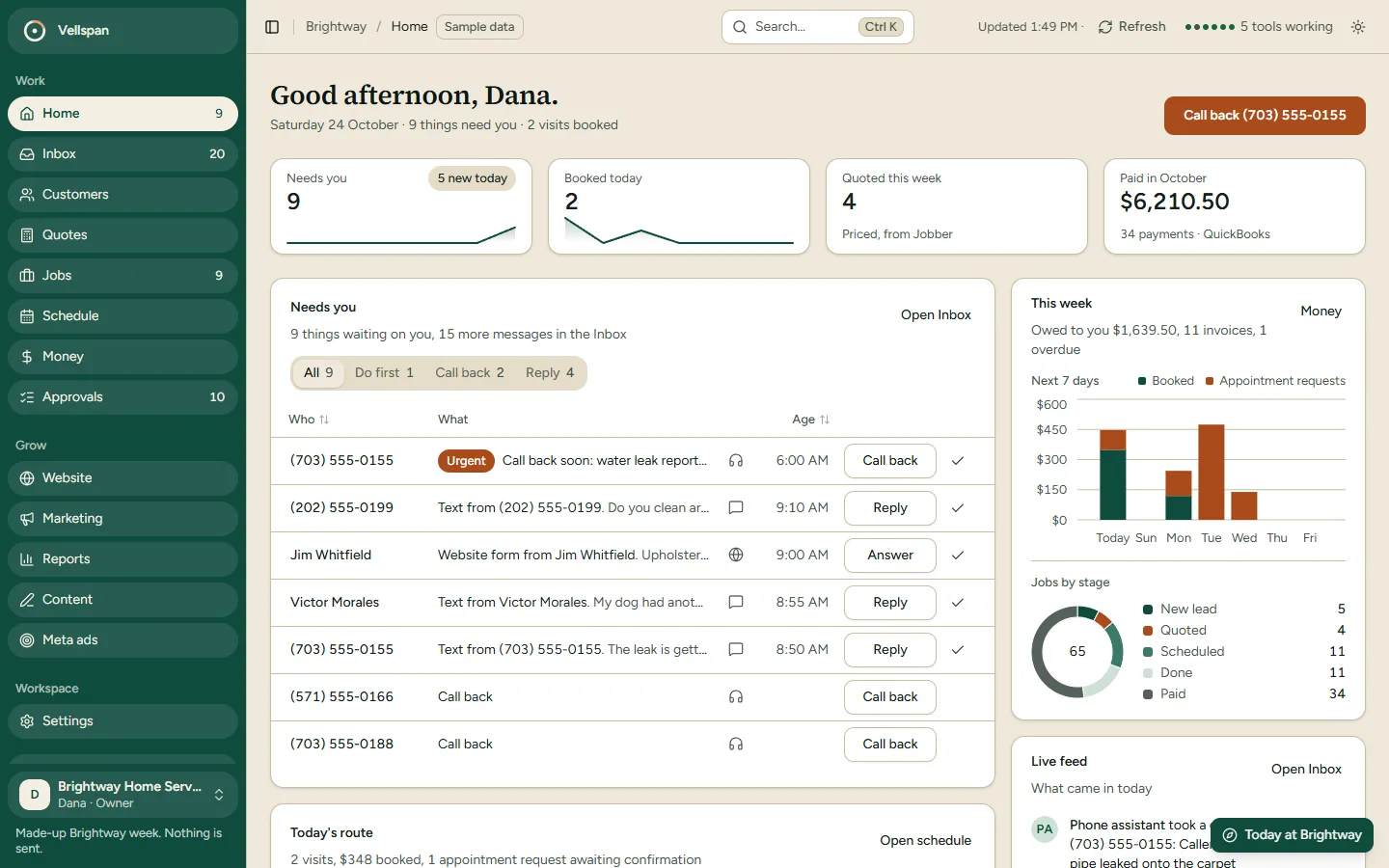
Home
What needs you today, in order.
Calls to return, texts to answer, quotes to chase and the week's money, on one screen. You start the day with a short list, not a pile.
Inbox
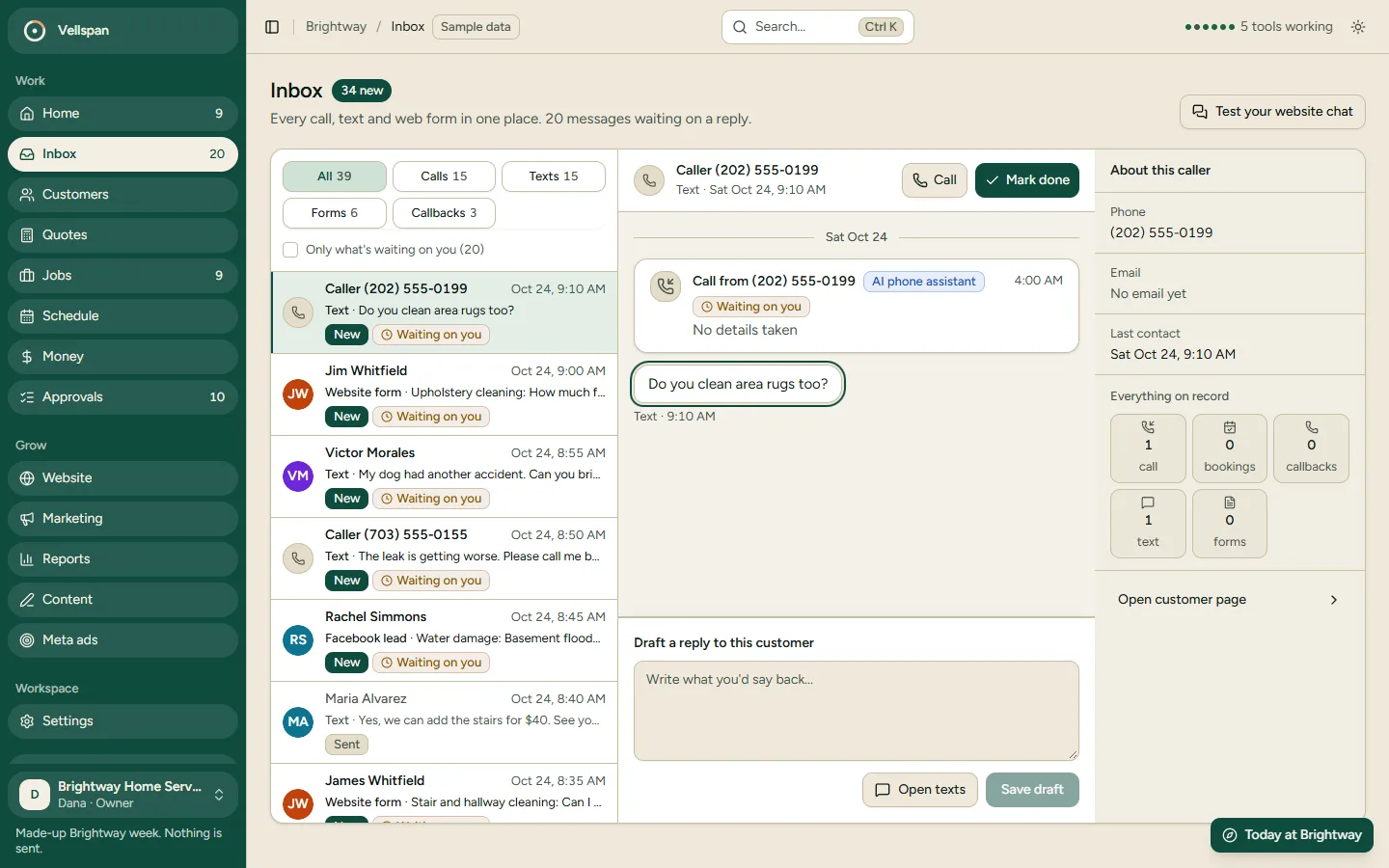
Every call, text and web form in one place.
Each one shows who it is, what they asked and what happens next. Missed calls land here too. You reply on the same screen.
Jobs
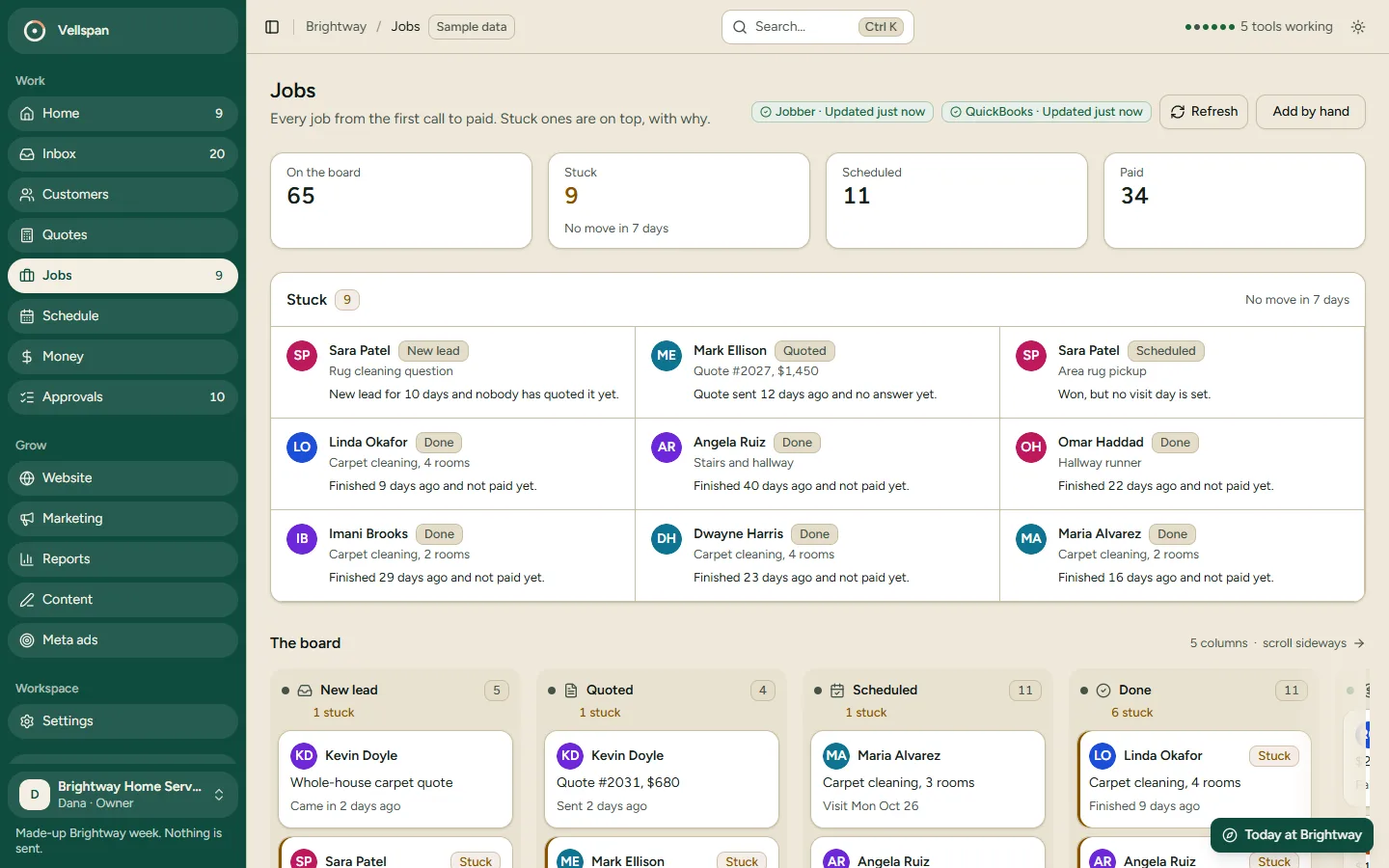
From first call to paid.
Every job sits in a stage: new, quoted, scheduled, done, paid. You see what is stuck without asking anyone.
Schedule
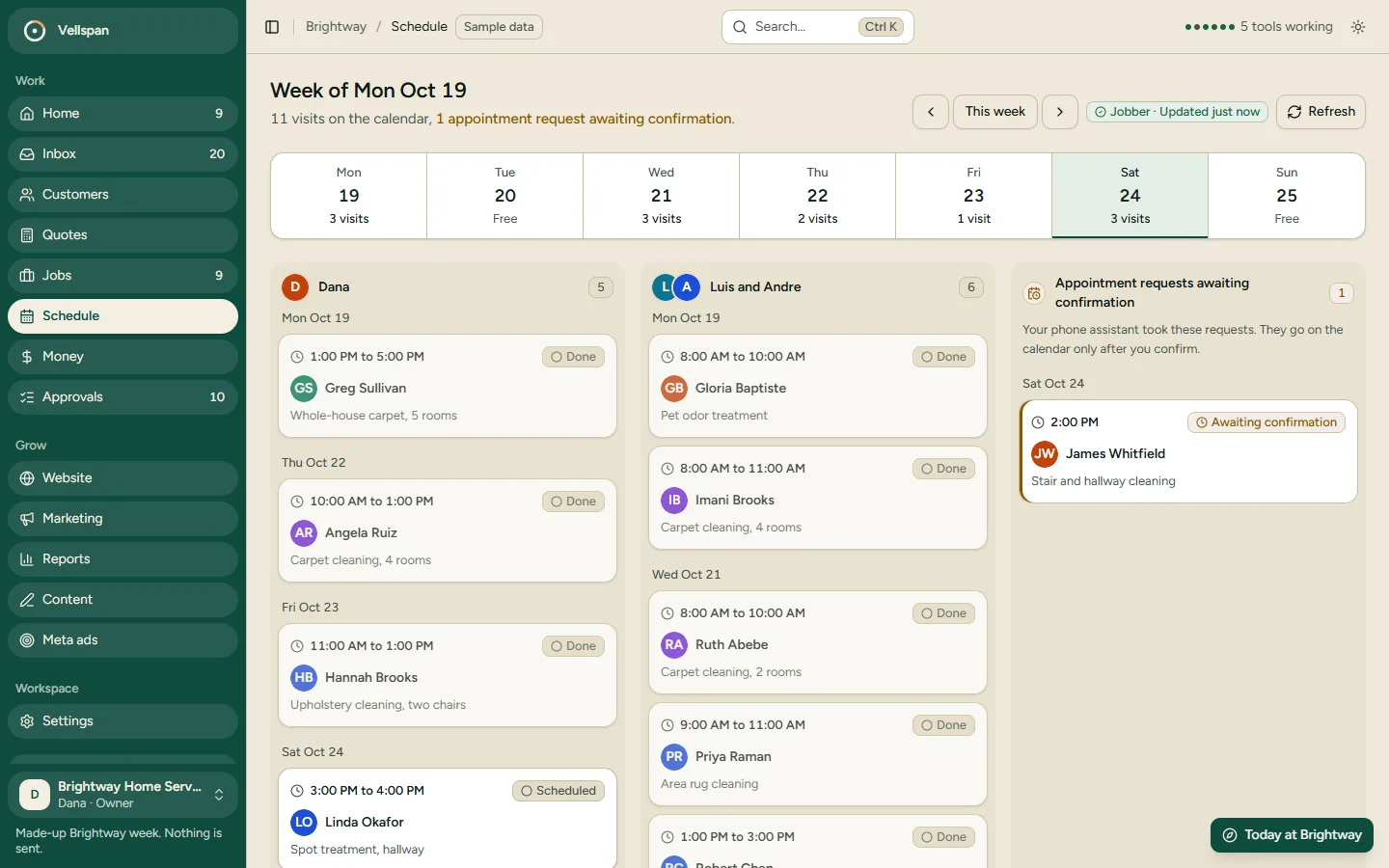
The week at a glance.
Booked visits and requests still waiting for a time, side by side, so you do not double-book.
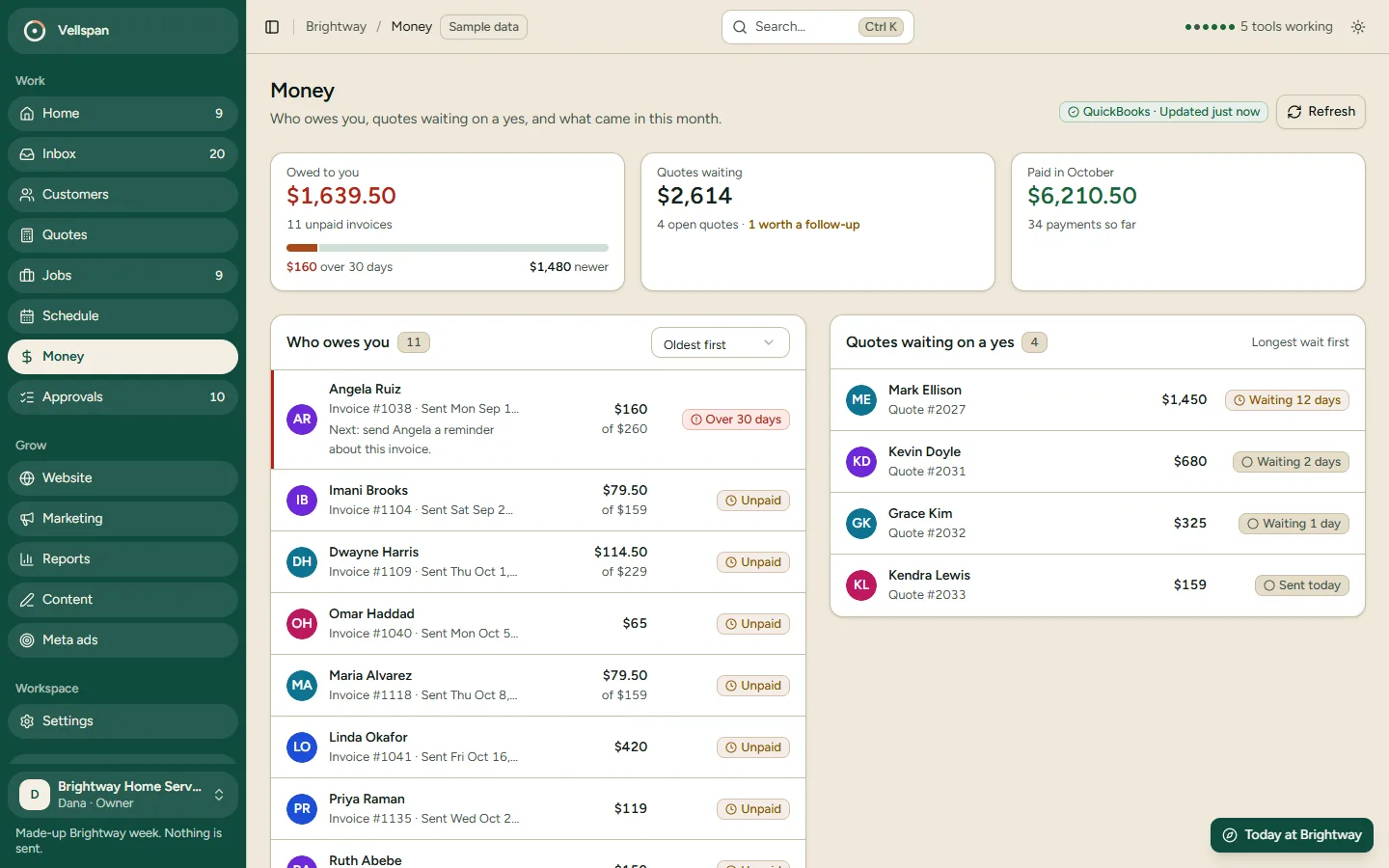
Money
Waiting, accepted, owed, paid.
Quotes sent, quotes accepted, what customers owe you and what they have paid.
Want this for your shop? Start with the free setup.
Send me a few videos off your phone of your guys on jobs. I turn them into ads on your own Facebook, aimed at homeowners near you, and run them free for 14 days. You pay Facebook directly; I don’t charge for the setup. If jobs come in and you want me to keep it running, we talk monthly.
Sean Goffigan, Vellspan Systems